Run multiple Claude accounts
on one Mac.
An independent Mac utility that launches separate local profiles for the Claude Desktop application, each with its own login state, dock icon, and data directory.
Independent third-party Mac utility by Bryan Parker. Not affiliated with, endorsed by, sponsored by, or produced by Anthropic PBC. Claude is a trademark of Anthropic PBC.

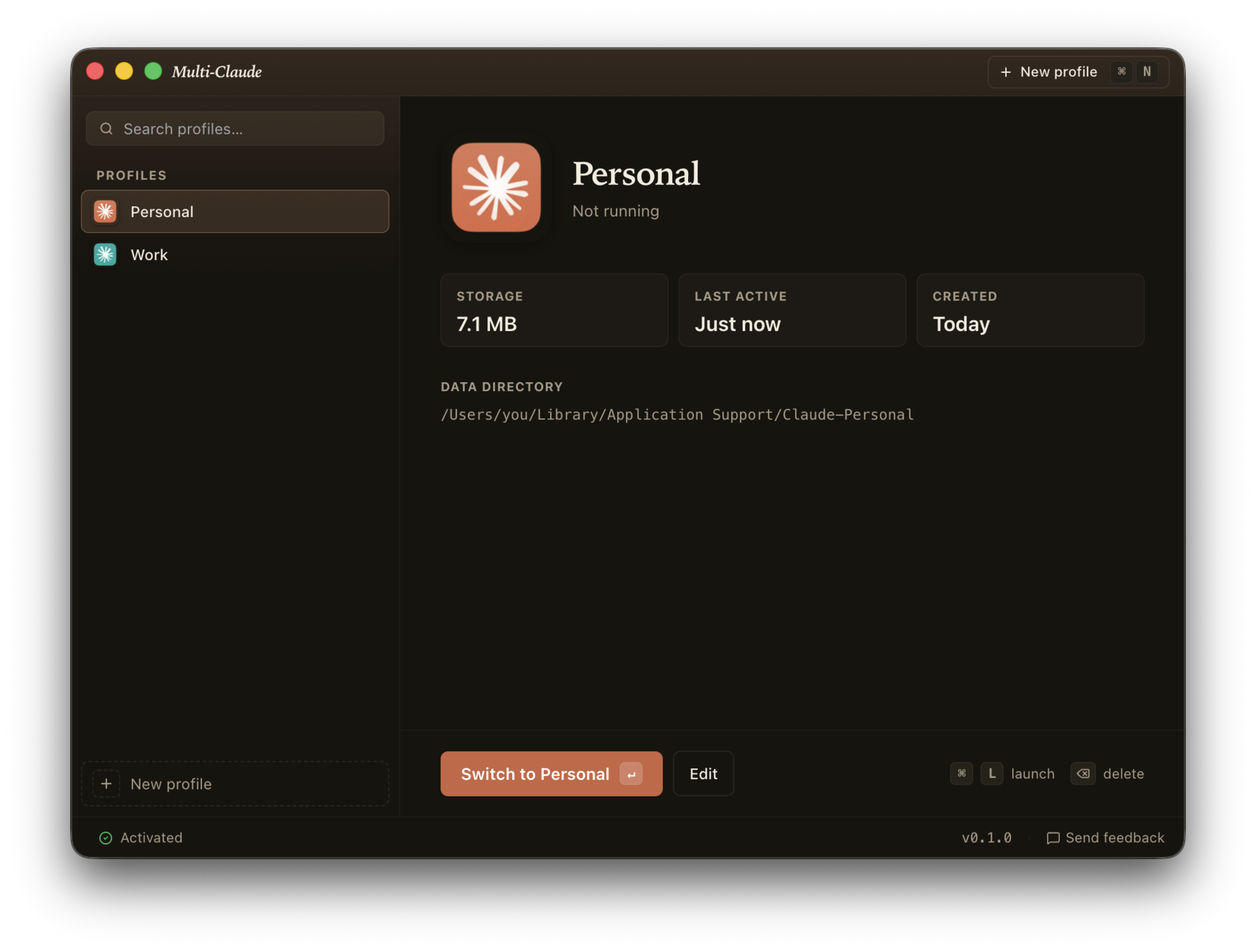
Separate sessions open at once
No quitting and logging out to switch. Each profile runs as its own process with its own data directory.
Real Mac apps
Each profile is a real Mac app with its own dock icon, Spotlight result, and Launchpad tile.
Migration on first run
Multi-Claude can detect a local installation of Claude Desktop and offer to import its history into a named profile. Original kept as backup.
Private by default
Multi-Claude doesn't require an account or upload your profiles and settings to our servers. Everything is stored locally on your Mac.
Independent utility
Multi-Claude does not provide access to Claude, create or sell Anthropic accounts or subscriptions, or provide any Anthropic service. You separately obtain and maintain your own account access directly from Anthropic.
How it works
Three steps to keeping separate Claude Desktop profiles open side by side. New to this? Read the setup guide.
Create a profile per session
Name each one (e.g., Work, Personal, Side project) and give it a color. A matching colored letter sits in your menu bar so you always know which account is active.
Each gets its own dock app
Real Mac apps in your Applications folder. They show up in Spotlight, Launchpad, and the Dock, each with its own icon.
Launch them side by side
Open Work and Personal at the same time. Switch between sessions with Cmd-Tab, like any other app. Nothing to quit, nothing to reload.
FAQ
Can I keep work and personal sessions open at the same time?
Yes. Open work, personal, and other profiles side by side, each signed in and running in its own window. Multi-Claude launches each profile as a separate local Mac app, so nothing logs out when you switch.
How do I switch between profiles?
Cmd-Tab, like any other Mac app. Each profile has its own dock app, so switching between sessions feels the same as switching between Safari and Mail. No quitting, no re-logging in.
Are these real Claude apps, or a web wrapper?
Real ones. Multi-Claude does not bundle, re-host, or reimplement Claude. It uses the Claude Desktop app you already installed from Anthropic, and gives each profile its own copy pointed at its own data folder. What opens is Anthropic's app, signed by Anthropic, updated by Anthropic. If you deleted Claude Desktop tomorrow, Multi-Claude would have nothing to launch.
Where do my profile apps get installed?
In the Applications folder inside your home folder, at
~/Applications/Multi-Claude/. That is not the same as the
/Applications folder at the top level of your disk, which is where
Multi-Claude itself lives. If you are looking for a profile and cannot find it, that is
almost always why. They also appear in Spotlight and Launchpad under their own names.
Signing in to my second account opens the first one. What is going on?
Claude signs in through your browser, and your browser is already signed in to whichever account you used last. The sign-in link then comes back to whichever Claude is listening. Sign in to the second profile in a private window, or sign out of claude.ai in your browser first, and it will land in the right place.
Does Anthropic allow this?
Anthropic's Consumer Terms permit running multiple legitimate accounts (e.g. work + personal) on one machine. Multi-Claude is for users with two real accounts, not for stacking free accounts.
How many profiles can I have?
As many as you want. The app's purpose is multi-account, not multi-tenant. Most people land on 2-3.
Can I sync profiles across Macs?
Not in this version. Each Mac stores profiles locally. Cloud sync may come later; if you want it, say so at hello@multiclaude.app and it gets counted.
What about Windows?
Mac only for now. Windows is on the roadmap!
Can I get a refund?
Yes, within 30 days, no questions asked. Email hello@multiclaude.app.
Does my license work on multiple Macs?
Yes. One license covers up to 5 of your Macs. Need more? Email hello@multiclaude.app.
Does Multi-Claude provide or manage my Anthropic subscription?
No. Multi-Claude does not sell subscriptions or provide access to Anthropic services. Each profile uses account access that you obtain separately. Account eligibility, plans, workspaces, and service access are governed by Anthropic.