Guide
How to run multiple Claude accounts on one Mac
Claude Desktop keeps one account signed in at a time. If you bounce between a work account and a personal account, you know the routine: log out, log in, lose your place, repeat. Here are the ways to run two Claude accounts on a Mac, what each costs you, and the setup that keeps both signed in at once.
Disclosure: This guide is published by Bryan Parker, the independent developer of Multi-Claude. Multi-Claude is not affiliated with, endorsed by, or sponsored by Anthropic.
Why one Mac normally means one Claude account
Claude Desktop stores your login in a single data directory. When you sign in to a second account, it overwrites the first. That is why there is no built-in account switcher: the app was designed around one signed-in user per machine. Everything below is about working around that single data directory, either by hand or automatically.
The manual workarounds (and their tradeoffs)
1. Log out and log back in
The obvious option. It works, but it clears your session every single switch, so you lose your current chat context and wait through a fresh login each time. Fine once a day, painful if you switch accounts ten times before lunch.
2. Separate browser profiles for claude.ai
Open claude.ai in two Chrome or Safari profiles and each keeps its own session, so both stay signed in. The catch is that you are now in the browser, not the desktop app: no dedicated dock icon per account, no global shortcut, and none of the desktop-only conveniences. It is a real option if you only live on the web, but it is not multiple Claude Desktop accounts.
3. A second macOS user account
Create another Mac login and install Claude there. This genuinely isolates the two accounts, but you have to use fast user switching to reach the other one, and you cannot see both at the same time on the same desktop. Heavy-handed for what should be a quick toggle.
The pattern: every manual workaround is really about giving each account its own data directory. The friction is in doing that by hand. Automating that local-profile setup can make switching much simpler.
An automated approach: separate local profiles
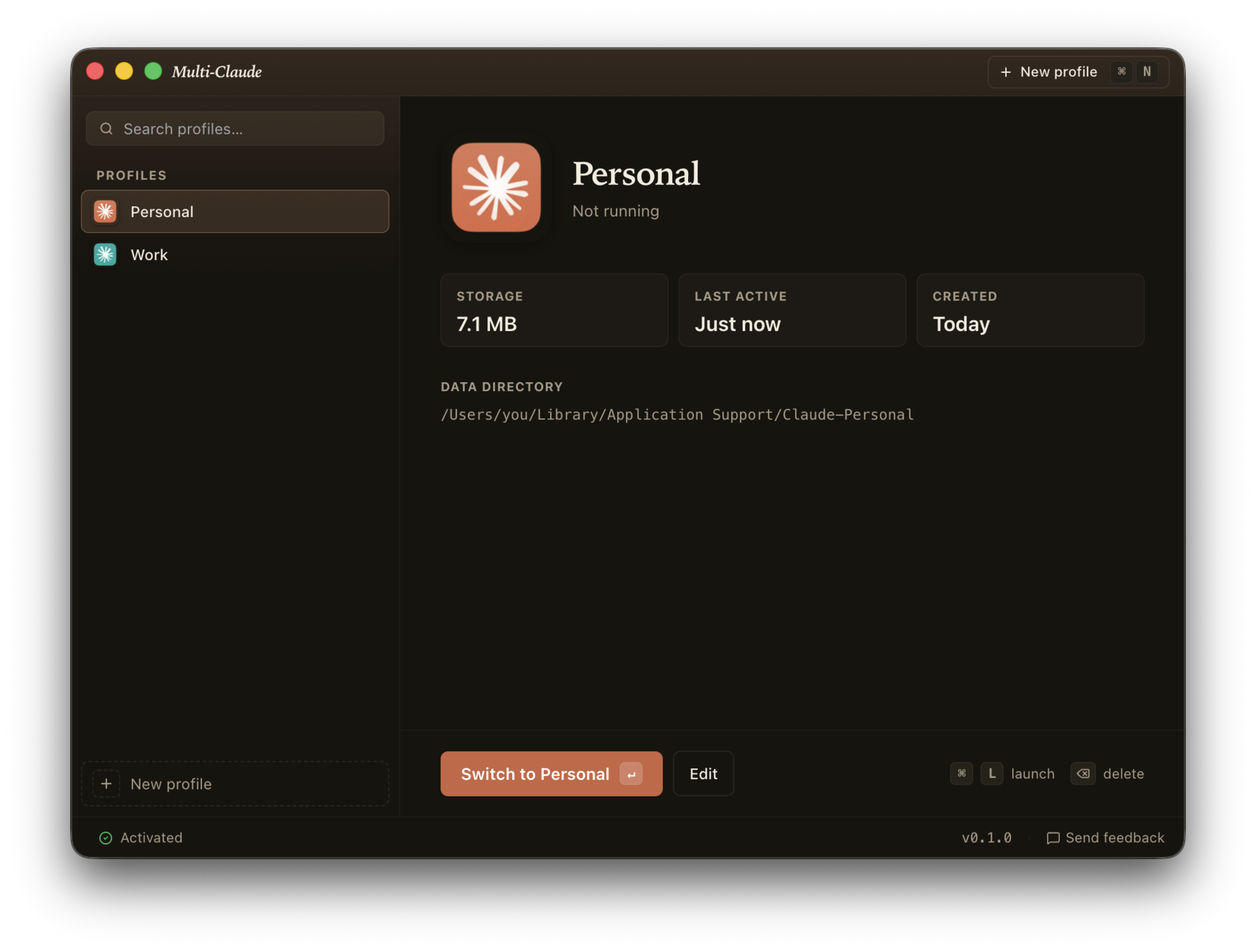
Multi-Claude automates this local-profile approach by launching the Claude Desktop app once per profile, each pointed at its own data directory. The result is multiple Claude profiles that are all signed in at the same time, each a genuine Mac app with its own dock icon, Spotlight result, and chat history. You switch with Cmd-Tab, exactly like moving between Safari and Mail.
How the options compare
| Method | Both signed in at once | Real desktop app | Effort to switch |
|---|---|---|---|
| Log out and in | No | Yes | High, every time |
| Browser profiles | Yes | No, web only | Low |
| Second Mac user | Yes | Yes | High, user switching |
| Multi-Claude | Yes | Yes | Low, Cmd-Tab |
Set it up in four steps
-
Install Multi-Claude.
Download the app, drag it to Applications, and open it. On first run it can detect a local installation of Claude Desktop and offer to import that history into a named profile, keeping the original as a backup.
-
Create a profile per account.
Add one profile for each Claude account, for example Work and Personal. Give each a name and a color. A colored letter in your menu bar tells you which account is active.
-
Sign in to each profile.
Each profile launches as its own Mac app with its own data directory, so signing in to one never logs out the others.
-
Run them side by side.
Open every account at once and switch between them with Cmd-Tab. Nothing to quit, nothing to reload.
Frequently asked questions
Can you run two Claude accounts on a Mac at the same time?
Yes. Claude Desktop only keeps one account signed in at a time, but you can run multiple Claude accounts side by side by giving each account its own app and data directory. Multi-Claude does this for you, so work and personal can both be open and signed in at once.
How do I run multiple Claude profiles without logging out?
Logging out and back in is the manual way, and it is slow because it clears your session every time. Instead, give each account a separate data directory so its login is stored independently. Multi-Claude creates one Mac app per profile, each with its own directory, so no account ever logs the others out.
Can I use separate browser profiles for Claude instead?
You can use claude.ai in separate Chrome or Safari profiles, and that keeps two web sessions signed in. It does not give you the desktop app, its dock icon, global shortcuts, or local file access. Multi-Claude runs the real Claude Desktop app per account instead of the browser.
Is running multiple Claude accounts allowed?
Anthropic's Consumer Terms permit running multiple legitimate accounts, such as a work account and a personal account, on one machine. Multi-Claude is built for people with real separate accounts, not for stacking free accounts.
How many Claude accounts can I run on one Mac?
As many as you want. Each account is a separate profile and a separate Mac app. Most people settle on two or three, such as work, personal, and a side project.
More questions? See the full FAQ or email hello@multiclaude.app.